 Bandwidth
Get it free
Bandwidth
Get it free
Focus app for iPhone
Your timer can't tell if you did the work.
Bandwidth can. Block the apps that pull you away, run a real deadline, then show the evidence — the win only counts if the proof matches what you promised.
Free · iOS 16.4+ · no account · no ads · no tracking
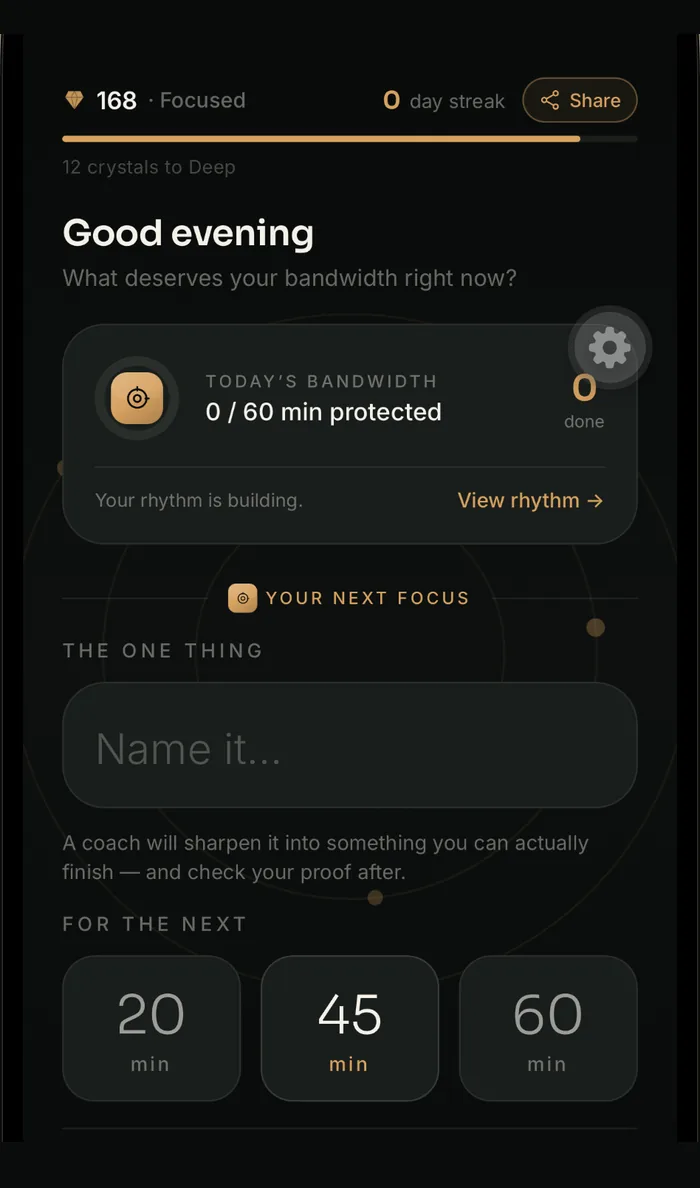
Run the timer. Block every app. Keep the streak. Still finish with nothing to show for it.
Bandwidth asks one more question at the end: did you actually do it? Start a block here and watch.
How it works
Four steps, about ten seconds of setup.
Tap through it — this is the actual app.


New in 1.2
Starting is the hard part. So we moved it closer.
Widget
Start a focus block from your home screen
20, 45 or 60 minutes, one tap, without opening the app. Lock Screen and icon long-press too.
The Shield
Every “no” counts for something
Turning down a distraction is real work that nothing ever records. One tap logs it, tagged with your reason, against a daily goal.

Conscious exit
Leaving takes a word you chose on purpose
Quit early and you type the session's release word from memory. Forget it and Bandwidth names the pull — then still lets you go. No shame, no streak damage.

History
See which sessions you actually finished
Minutes protected, distractions turned down, and the number no other focus app can show you — how many sessions passed proof versus how many you merely logged.

The difference
Pomodoro timers measure the wrong end of the session.
| Behaviour | A normal focus timer | Bandwidth |
|---|---|---|
| What it measures | Time elapsed | Whether you finished |
| Ending a session | Tap “done” — nothing checks it | Submit proof, checked against your commitment |
| Quitting early | One tap, or a wall you resent | Type your release word, then leave freely |
| A missed day | Streak resets to zero | Streak insurance absorbs it |
| Distractions resisted | Not recorded anywhere | Counted, tagged and charted |
| Your data | An account, often a server | On your device, no account |
Everything in the app
Built for one job, finished properly.
Real app blocking
Shield distracting apps for the session with Apple's Screen Time.
Home & Lock Screen widget
A 20, 45 or 60 minute block one tap from anywhere.
History & charts
Minutes protected, sessions verified and a twelve-week grid — day to all time.
Calendar-aware planning
Finds the gaps between meetings and books focus into its own calendar.
Streaks with insurance
Earn freezes that quietly cover a missed day.
Focus sounds
Brown, rain, ocean and fire — mixed over your own music, not instead of it.
The Pack
See how many are focusing right now. Anonymous, and not a leaderboard.
Make it yours
A dozen calm themes, custom accents, timer styles and textures.
Private by default
A focus app has no business knowing this much about you.
Everything works on your device with no account. The blocker uses Screen Time, which only ever returns counts — Bandwidth literally cannot see which apps you use. No ads, no trackers, nothing sold.
Questions
The things people ask first.
Is it really free?
Yes — the timer, app blocking, widget, charts and scheduling, with no ads and nothing sold. A paid tier may come later for extras like cloud backup; the core stays free.
How does it know whether I actually finished?
The coach states what proof it'll accept before the timer starts. At the end you answer in your own words, and it's checked against that. Not surveillance — a specific promise you have to answer.
Does it really block apps, or just remind me?
Really blocks. It uses Apple's Screen Time (Family Controls), the same system Apple's own limits run on, so shielded apps won't open during a session.
Can Bandwidth see which apps I use?
No — by design, not policy. iOS hands third-party apps opaque tokens instead of app names, so only counts ever arrive. Even if we wanted the list, we couldn't have it.
Do I need an account?
No. Everything works signed out, stored on your device. Sign-in only exists for optional cloud backup.
What happens if I quit early?
Type the release word and you're out. Forget it and Bandwidth names the distraction, then lets you leave anyway — no penalty, no streak damage.
Why does it want calendar access?
To find the gaps. It reads only event start and end times — never titles or attendees. Committed blocks go in a separate calendar you can delete anytime, and it never edits existing events.
Is there an Android version?
Not yet. The blocking is built on Apple's Screen Time framework, which has no direct Android equivalent, so it's a rebuild rather than a port.
Which iPhones get the on-device AI coach?
Apple's on-device models need iOS 26 on an iPhone 15 Pro or newer. Everything else uses built-in templates — same loop either way, and nothing is locked behind it.
If it's free, how do you make money?
Right now, not at all — it's one person's app, there are no ads and no data is sold. A paid tier may arrive later for extras like cloud backup, and the core loop stays free. The blocker couldn't sell your habits even in principle: iOS never tells it which apps you use.
One task. One deadline. Nothing else.
Find out what you actually finished today.
Free · iPhone · iOS 16.4 or later
Bandwidth
A focus app that checks you actually finished. Private by default.
Product
© 2026 Bandwidth Focus. Made for people who'd rather finish than look busy.